> For the complete documentation index, see [llms.txt](https://docs.20lab.app/llms.txt). Markdown versions of documentation pages are available by appending `.md` to page URLs; this page is available as [Markdown](https://docs.20lab.app/sui-features/optional.md).
# Optional
Features available in "Optional" section in 20lab token generator for Sui tokens.
### Mintable
"Mintable" functionality is enabled by default for all Sui tokens and allows the treasury cap holder to mint new tokens to any address of their choice.
#### How Mintable Works
Minting on Sui does not have a maximum cap, which means it can be done continuously as long as the treasury cap is not revoked. This provides complete flexibility for token distribution and supply management.
#### Treasury Cap Functions
The treasury cap controls much more than just minting. It manages various important token functions, making it a powerful authority that should be handled carefully.
#### Revoking Mintability
If you don't want your Sui token to be mintable, you can easily revoke the treasury cap after your token is created.
### Freezable
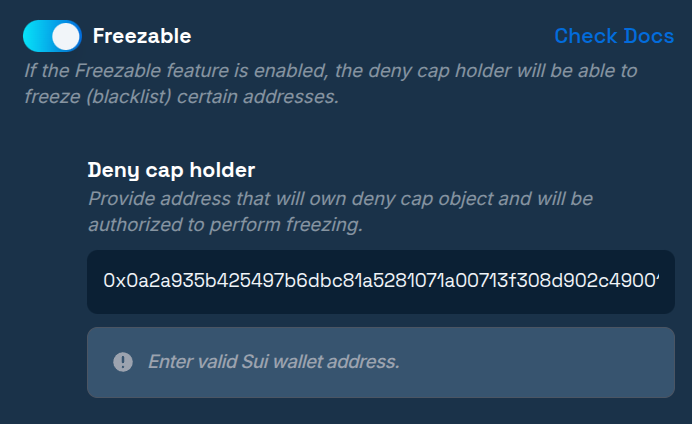
Enabling the "Freezable" option creates a new authority for your token called the deny cap. The holder of this authority can freeze (blacklist) any address of their choice.
#### How Freezing Works
Freezing on Sui has a 2-step effect that provides address blocking:
**Step 1 - Immediate Effect:** Immediately after freezing, the token holder cannot interact with their own tokens. This means they cannot send, transfer, or otherwise move tokens from their frozen address.
**Step 2 - Next Epoch Effect:** With the start of the next epoch on the Sui blockchain, the frozen holder won't be able to receive any tokens either. This completes the full isolation of the address.
**Key Point:** The first step effectively blacklists the address and prohibits any tokens from leaving the blacklisted address's balance immediately, providing instant protection when needed.
### Pausable
The "Pausable" feature comes as part of the "Freezable" feature and allows deny cap holders to effectively blacklist everyone by sending just one transaction.
#### How Pausable Works
Pausable has the same effect as manually freezing each individual token holder, but with much greater efficiency. Instead of freezing addresses one by one, a single pause transaction affects all token holders simultaneously.
#### Key Difference from Individual Freezing
After pausing your token, addresses that were previously frozen on an individual basis will be preserved. This means that after unpausing your token, those individually frozen addresses will still remain frozen, while all other addresses will return to normal functionality.